All photos, including the one behind the blog title, are the sole copyright of Vicki Maheu, aka ThriceBlessed.
Please be kind & do not copy any photos here unless you first receive permission.
Also, if you have a photo blog, and you link to me on your blog, I'll return the favor and link to you, just leave a comment letting me know that you linked to me!
Thank you!
Showing posts with label Photography course. Show all posts

Monday, February 21, 2011

Lesson 3, Assignment 1: Camera Optics... Focal Length

Another assignment for the Free Online Photography course, this time I am backtracking a little, and doing an assignment I skipped.  I am doing assignment 1 of lesson three.  The assignment was to, "Take a photograph using your widest angle lens possible and another using your longest lens possible. Compose them both so they are as interesting as possible."   I only have one lens so far, but its a zoom so I took the photos with the lens's widest angle possible, and then with the longest.

The assignment also said to put the camera on a tripod or other sturdy object, but I forgot that part, so I guess in this case my hands were the "other sturdy object".  I knelt in exactly the same spot for both photos.

So here are two photos of the same object, taken at 55 mm, f/8, shutter 1/125, ISO 200, Manual Mode, Auto focus.  I think this one makes a pretty good abstract.

And here is one taken at 18 mm, f/8, 1/160, ISO 200.


In case anyone is wondering what on earth my picture is of, it is a VERY OLD milk/cream separator.

Saturday, February 19, 2011

Lesson 3, Assignment 2

Okay, its time for more assignments from the Free Online Photography Course I have been taking.  I haven't done assignment 1 of lesson 3 yet, but the order of the assignments doesn't really matter as much as actually DOING both of them. So here goes... the directions said, "Again, set your camera up and take two photographs - this time they should be exactly the same, but use your aperture to make your subject the only thing in focus in one of them and then to make everything in the picture in focus in the other one."

I decided to make my subject my favorite chess piece.  Both of these photos were taken with Aperture Priority.  In both photos I manually focused on the Knight's eye, to get the greatest detail in that spot, and in both photos the ISO was 100, there has been no post processing of either image.

On this one, the aperture was F32 (the smallest available)  and the shutter speed 5 seconds. Even though the point I manually focused on was the same as the second the photo notice the extreme difference in the results.  For the most part I like the second image the best, but I do kind of like the cross on top of the king in the foreground of this first one.  I wonder, if kept playing around, could I have gotten the cross AND the knight to be focused, while everything else was fuzzy?


 Now here is this one, the aperture was F5.0 (largest available) and the shutter speed 1/8 of a second.   Notice how my favorite piece now stands out from the rest of them!

Thursday, January 27, 2011

Water Droplets!!! Lesson 2 Assignment 3a, Fast Shutter Speed

Okay, my assignment for lesson 2 of my free photography course was to take pictures using shutter speed to create an effect.  My first effort at this was to use a fast shutter speed to catch a split second of time, shown in a water droplet.

I got further instruction on this from This Site. 

I added blue food coloring to the dish of water to get the cool blue color, of course the water dripping down did not have food coloring, it is just reflecting the color of the water below.

My settings for all these photos was manual,manual focus, shutter 1/200, aperture f/5.6, focal length 55mm, ISO 100, on-camera flash.

My best result came from one I cropped to focus just on the water drop:


Okay, so here is the whole series of shots.


Sunday, April 25, 2010

Lesson 2, Assignment 1, Aperture- a.k.a. F-stop

The next assignment for my free online photography course has to do with aperture setting, also know as "f-stop".  To summarize what the f-stop is, it has to do with controlling the size of the hole that lets in light.  The smaller the number, the larger the size of the opening.  Lesson 2 explains more about why this is, but basically it is a ratio of the focal length to the size of the opening.  All fine and dandy, but you don't need to understand it to use f-stop.  All you need to remember is that smaller f-stop numbers will let in more light because of a larger opening.

Assignment 1 of  lesson 2 was, "Take a landscape photograph using each available aperture on your camera, while using a 1/60 second shutter speed for each shot, similar to what I've done in the example in this lesson. If you don't have a tripod, you can set your camera on a fence post or any other handy thing to keep it in the same place for each shot."

I have a tripod so I used it, and as the assignment instructed, my shutter speed was 1/60 for each of these shots, note that the first one is not actually just a white frame, there are some shadowy things on the right about 1/3 up from the bottom, it is just overexposed.  Each subsequent photo is done with less light getting in, so less exposure each time:

F/4.0
F/4.5

F/5


F/5.6

F/6.3


F/7.1


F/8.0


F/9.0


F/10.0

F/11.0


F/13.0


F/14.0

F/16.0
F/18.0

F/20.0


F/22


F/25

I think the last two come the closest to correct exposure, but I think a faster shutter speed would have helped a little too, the sky still seems awfully bright.  I wish now that I had taken another photo on full auto, to see what the camera "thought" would make correct exposure.  It is too late now, the lighting conditions have changed, but it would have been interesting to compare, with future attempts at manual exposure, I'll try to remember to compare an auto exposure.

Saturday, April 24, 2010

Lesson 1, Assignment 2

Well, I've decided to move on to assignment 2 of my photography course. 

Here were the directions for assignment 2 of lesson 1:

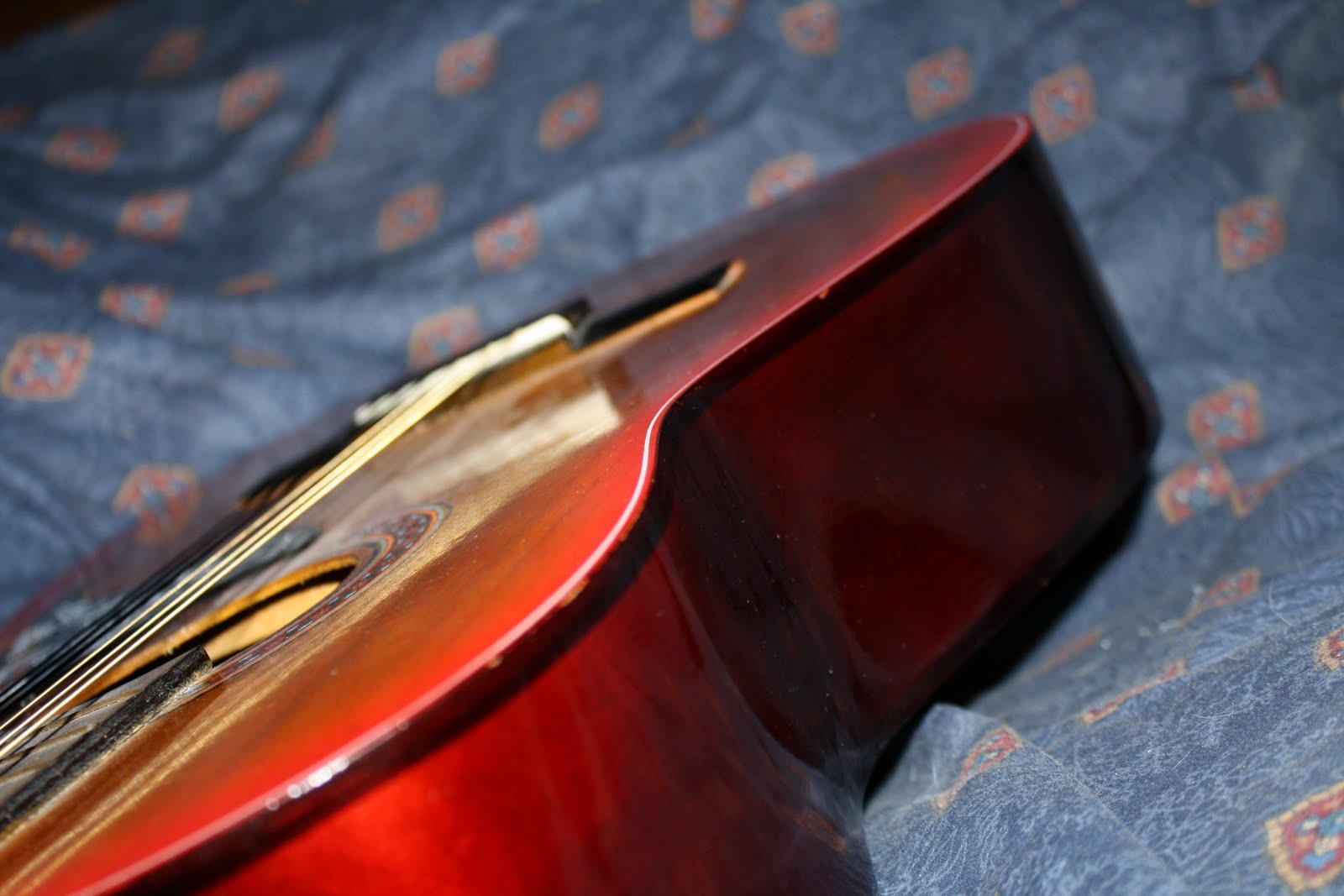
Students will take pictures of a subject from various viewpoints (near, far, from above, below, behind). Creativity is encouraged. Likewise, post your best two or three photos of the subject online and send me a link, along with an explanation of which you think is most visually appealing and why.

Here are my best three photos of my subject, starting with the first one, which could also count toward assignment 1, because I think it makes a nice abstract image as well.  I like it because the curved line arches through the picture and draws my eye in, and the diagonal across the bottom definitely suggests that there is more to see beyond the picture.


The second one I like because the strings create a diagonal from corner to corner, giving the triangular element.  At the same time the pick guard and the mouth of the guitar provide lines that curve up into the photo reminiscent of the golden mean, the lines then circle all the way back around, leading the eye back to where it started.  Combined with the strings going up to the top corner, these elements ensure that your eye explores the whole picture.
The third one was hard to pick, there were a few I liked, I settled on this one because I liked the curved side of the guitar against the blue background, and felt that the photo was well balanced with some negative space in it.


Well, now the rest of the photos I am just posting to show that I did indeed follow the directions on this project, taking pictures from every angle I could think of.